Queue Management for Clinic & Hospitals
Axis QMS is an innovative queue management system designed for clinics that look forward to bringing efficiency into the flow of patients and enhancing service delivery. In today's speedy environment, there should be an assurance that the patients will get timely care; this makes Axis QMS streamline the entire patient journey-from appointment booking to check-out-for seamless experiences that benefit patients and clinic staff.
AxisQMS system help and support organizations to managing volume of patients and able to do it in very smart way thus reducing wait times greater efficiency.By incorporating a queue management system, clinics can significantly enhance operational efficiency, improve experiences.
Features of axisQMS for Healthcare
- Digital Ticketing: Patients can obtain tickets via a mobile app,QR Code or kiosk, reducing the need for physical waiting lines. Visitors can also book the token from online website with SMS notification
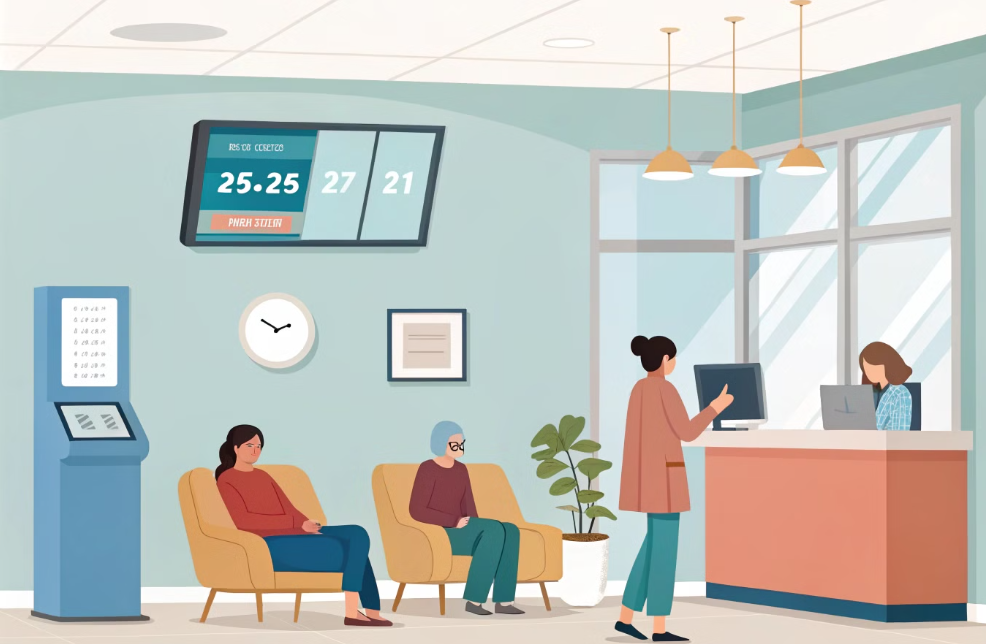
- Real-Time Updates: Users receive notifications on their position in the queue, estimated wait times, and alerts when it’s their turn.Can also view live token position via TV with multi lingual voice alerts, from mobile phones by scanning the QR code or SMS alerts
- Customizable Queuing Series: Clinics can set up different queues for various services, such as Registration, Doctor Cusultation, Lab Services, Pharmacy etc. Offers options for prioritizing certain groups, like emergency assistance or priority services
- Auto Vital Service: Tokens can forward directly to vital services which will be notified to the doctors once it is complted
- Registration Queue: We can setup a priliminary queue for the registration counter with self-service kiosk from the patients can receive the token for the registration counter and eliminate the Congestion
- Analytics and Reporting: Administrators can access data on visitor flow, peak times, and service efficiency to optimize operations.
- User-Friendly Interface: Both staff and visitors benefit from an intuitive design, making it easy to navigate the system.Customizable TV display can include the elements like videos,logo, scroll news
- Integration Capabilities: The system can be integrated with existing Clinic management software, Emirates ID,SMS,Website etc
- Decision Making and Process Improvement: AxisQMS gathers and examines data on staff performance, patient flow, wait times, and resource usage. Evidence-based decision-making is made possible by this data-driven approach, which guarantees that process modifications are in line with real needs and results
- Track the Queue from Mobile: Patients can track their token number from the mobile phone by scanning the QR code and can view the token satatus from outside the clinics
Enquire Now
- Virtual Queueing
- Multiple Service Points
- Priority Management
- Resource Optimization
- Multilingual Support
- Self-Service Kiosks
- 100% Cloud based
- Feedback Mechanism
The queue management system in schools offers several advantages like enhancing overall efficiency and improving visitor satisfaction. AxisQMS minimizes wait times taken by students and their parents whenever admissions, meetings, or any other events are in process. It allows them to be added into the queue digitally so that they can plan out their time more productively rather than wasting it standing in long queues, which limits frustration. The system allows for real-time updates of the queue status in order to enable visitors to schedule their time appropriately. The analysis of a traffic pattern and peak times enables schools to optimize resource allocation efficiently by ensuring the availability of staff when required. Improved communication involves visitors receiving timely notifications and alerts improves the customer journey and experence.